How to Create a 100% Free QR Code for WhatsApp Number in India (No Sign-Up)
In the bustling digital economy of India, speed is everything. Whether you are a home-baker in Bengaluru, a freelance designer in Delhi, or a Kirana store owner in Mumbai, the gap between a "window shopper" and a "paying customer" is often just one click.
In 2026, nobody wants to manually type in a 10-digit mobile number, save the contact, and then refresh their chat list. They want to scan and talk. That is where a free QR code generator comes in.
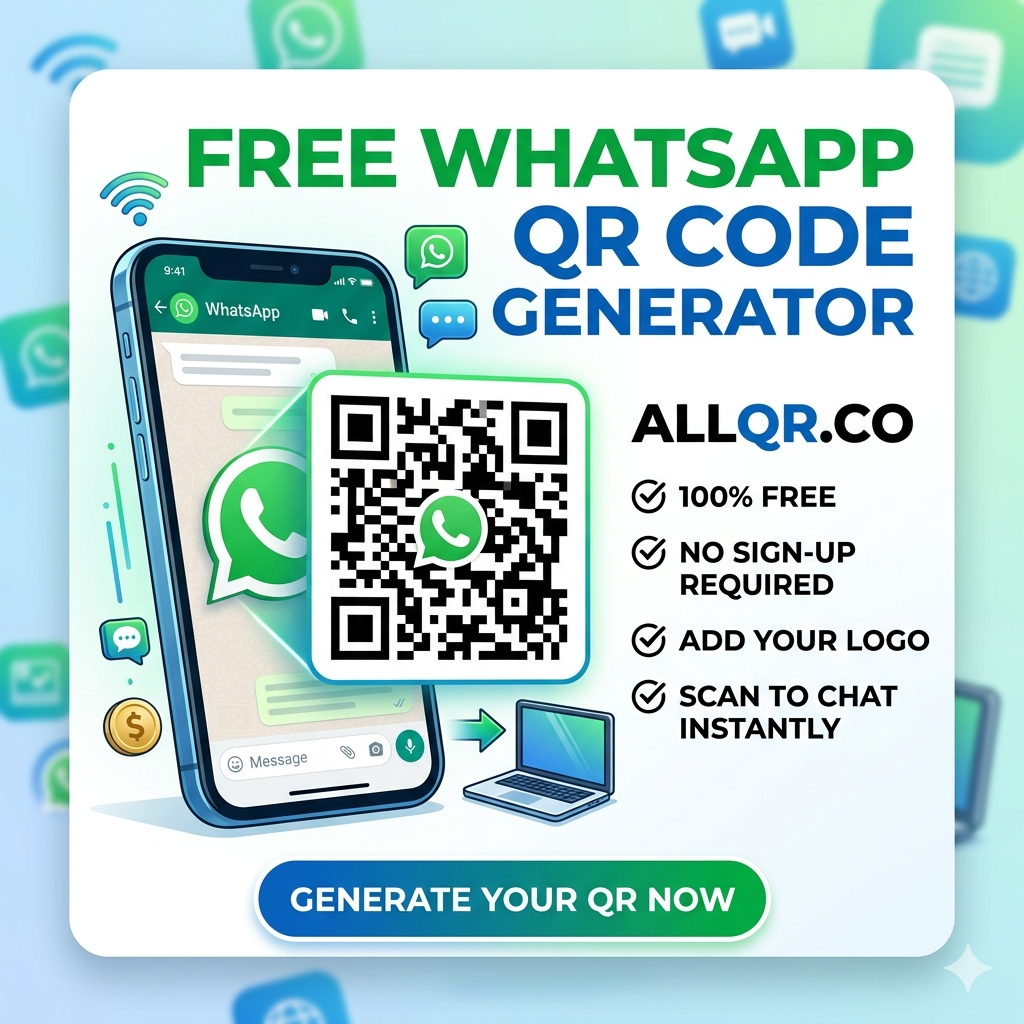
In this guide, we will show you exactly how to use the allqr QR code generator to create a professional WhatsApp QR code in seconds—without spending a single Rupee or handing over your email address.
Why Your Business Needs a WhatsApp QR Code in India
India has the largest WhatsApp user base in the world. It isn’t just a messaging app anymore; it’s a storefront. By using a QR code generator for WhatsApp free, you bridge the gap between the physical and digital worlds.
- Instant Connection: Customers scan your code on a business card, flyer, or storefront and instantly land in your chat.
- No Typing Errors: Eliminate the risk of a customer misdialing your number.
- Professionalism: A custom QR code with a logo looks far more tech-savvy than a handwritten phone number.
- Zero Friction: Using a free QR code generator without sign up means you don't waste time creating accounts; you just get the job done.
Step-by-Step: Creating Your WhatsApp QR Code on allqr.co
Follow these simple steps to get your business chat-ready.
Step 1: Prepare Your WhatsApp Link
Before heading to the generator, you need your "click-to-chat" link. WhatsApp uses a standard format: https://wa.me.
- Note: Always include the country code (91) but do not use plus signs (+), brackets, or dashes.
Step 2: Use the allqr QR Code Generator
Go to allqr.co. You’ll notice the interface is clean and built for speed. Unlike other "freemium" tools that hide the download button behind a paywall, this is a truly 100% free QR code generator.
Step 3: Input Your URL
Select the "URL" or "WhatsApp" option. Paste your link into the field. If you want to make it even more professional, you can use a best URL shortener free service to clean up long links before turning them into a QR code.
Step 4: Customization (The "Pro" Touch)
Don’t just settle for a black-and-white square. To stand out in the Indian market:
- Add a Logo: Use the free qr code generator with logo feature to upload your brand icon or the WhatsApp logo.
- Change Colors: Match the QR code to your brand’s color palette.
- Adjust Frames: Add a "Scan to Chat" call-to-action frame.
Step 5: Download and Test
Once you’re happy with the design, click download. Pro Tip: Always scan the code with your own phone before printing 500 business cards!
Creative Ways to Use WhatsApp QR Codes in India
Once you’ve mastered the url to qr process, where should you put your new code?
- Restaurant Tables: Instead of a bulky menu, place a small standee. "Scan to Order via WhatsApp."
- Real Estate Signage: "Scan for more photos of this property" takes the lead directly to the agent's WhatsApp.
- E-commerce Packages: Include a "Thank You" note with a QR code for "Customer Support & Re-orders."
- Instagram Profiles: Since Instagram only allows limited links, use a qr code generator for instagram profile strategy to drive traffic to your chat.
Static vs. Dynamic: Which Should You Choose?
When using a free dynamic qr code generator trial, you get the ability to change the destination link later without changing the physical QR code. However, for a simple WhatsApp number, a static QR code (which is forever free on allqr.co) is usually sufficient and never expires.
Why allqr.co is the Best Choice for Indian Users
There are hundreds of tools online, but the best QR code generator is the one that respects your privacy. Most sites "trap" you by asking for an email after you've already designed your code.
allqr.co provides:
- No Sign-Up: Create and download instantly.
- High Resolution: Perfect for high-quality printing on banners and flyers.
- India-Centric Speed: Optimized for fast loading even on mobile data.
Frequently Asked Questions (FAQ)1. Is there a truly free QR code generator?
Yes. allqr.co is a 100% free QR code generator. Many sites claim to be free but charge you once the code reaches a certain number of scans. Static codes generated here are free for life.
2. Can I create a QR code for WhatsApp with a logo for free?
Absolutely. Using a free qr code generator with logo allows you to put the WhatsApp icon in the center of the code, which increases trust and scan rates.
3. Will my QR code expire?
Static QR codes generated via allqr QR code generator do not expire. They will work as long as your WhatsApp number remains active.
4. Do I need to sign up to download the image?
No. This is a free qr code generator without sign up. We believe in utility without the hassle of newsletters or accounts.
5. Can I use this for my WiFi password too?
Yes! Our tool also functions as a qr code generator for wifi password. It’s a great way to let guests at your office or cafe connect without sharing the password out loud.
6. How do I make a QR code for a website link?
Simply select the URL option on the homepage, paste your link, and click generate. It is the easiest way to create qr code for website link free in India.
Conclusion
In a mobile-first nation like India, the QR code is the ultimate shortcut. By using the allqr QR code generator, you are giving your customers a frictionless way to reach you. Stop losing leads to "saved contact" fatigue and start using a free qr code generator for whatsapp number free India today.