Introduction
Sharing multiple links can be confusing for customers, followers, and event visitors. A multi link QR code solves this problem by bringing your website, social media, WhatsApp, payment links, contact details, and other important destinations into one easy-to-scan QR code. In 2026, businesses, creators, restaurants, and event organizers can use multi link QR codes to make offline marketing more convenient and connect audiences to multiple digital resources from a single scan. In this guide, you’ll learn what a multi link QR code is, its key benefits, common use cases, and how to create one with ALLQR.
What is a Multi Link QR Code?
A multi link QR code is a QR code that opens a landing page containing multiple links. Instead of redirecting to just one URL, it gives users multiple options like:
- Website
- YouTube
- Payment links
- Contact details
Think of it like a mini website inside a QR code.
Why Multi Link QR Codes Are Trending in 2026
People don’t want to click around endlessly. They want everything in one place.
1. One QR, Multiple Actions
No need for multiple QR codes.
2. Better User Experience
Users choose what they want instantly.
3. Perfect for Offline Marketing
Use it on banners, packaging, or business cards.
4. Saves Time & Effort
No need to explain links — just say “Scan this”.
Best Multi Link QR Code Generator – AllQR
If you’re looking for a reliable tool, AllQR offers a complete solution for creating multi link QR codes. It’s simple, fast, and designed for modern users.
Features of Multi Link QR Code
Multiple Links in One Place
Add all your important links in a single QR.
Custom Branding
Add logo, colors, and design to match your brand.
Mobile Optimized Page
Your links open beautifully on mobile devices.
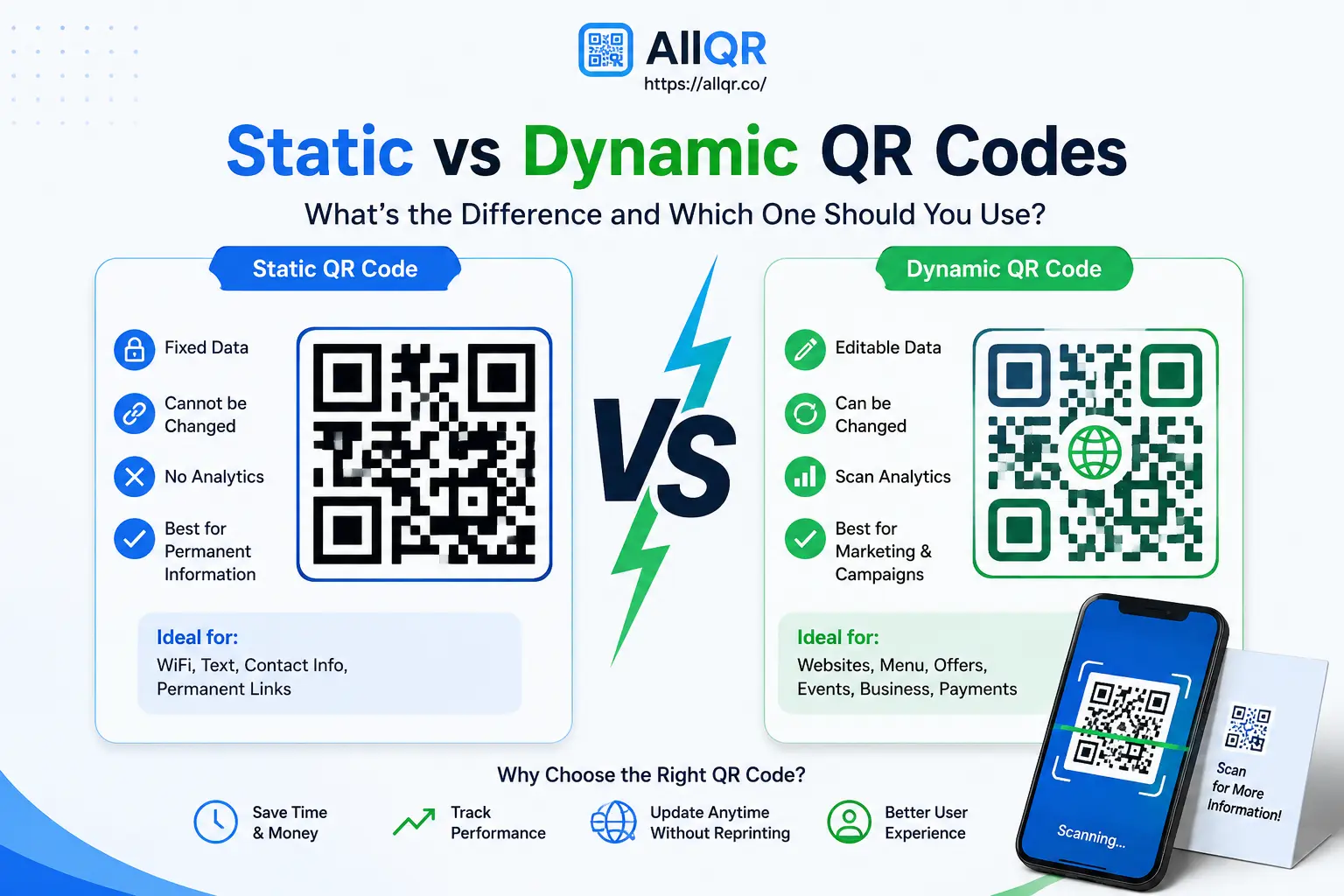
Analytics Tracking
Track how many people scan your QR code.
Easy Setup
No technical skills needed.
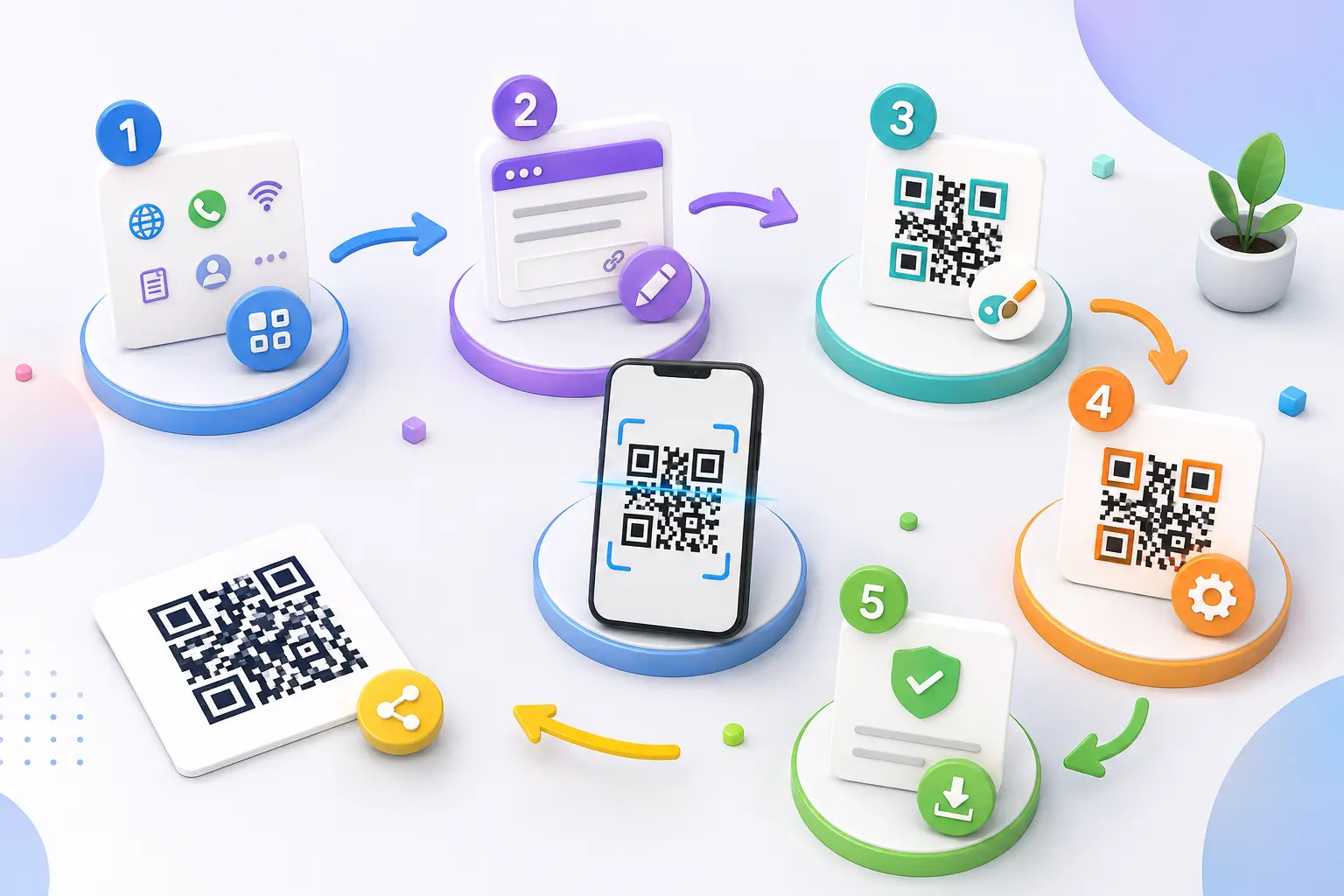
How to Create a Multi Link QR Code
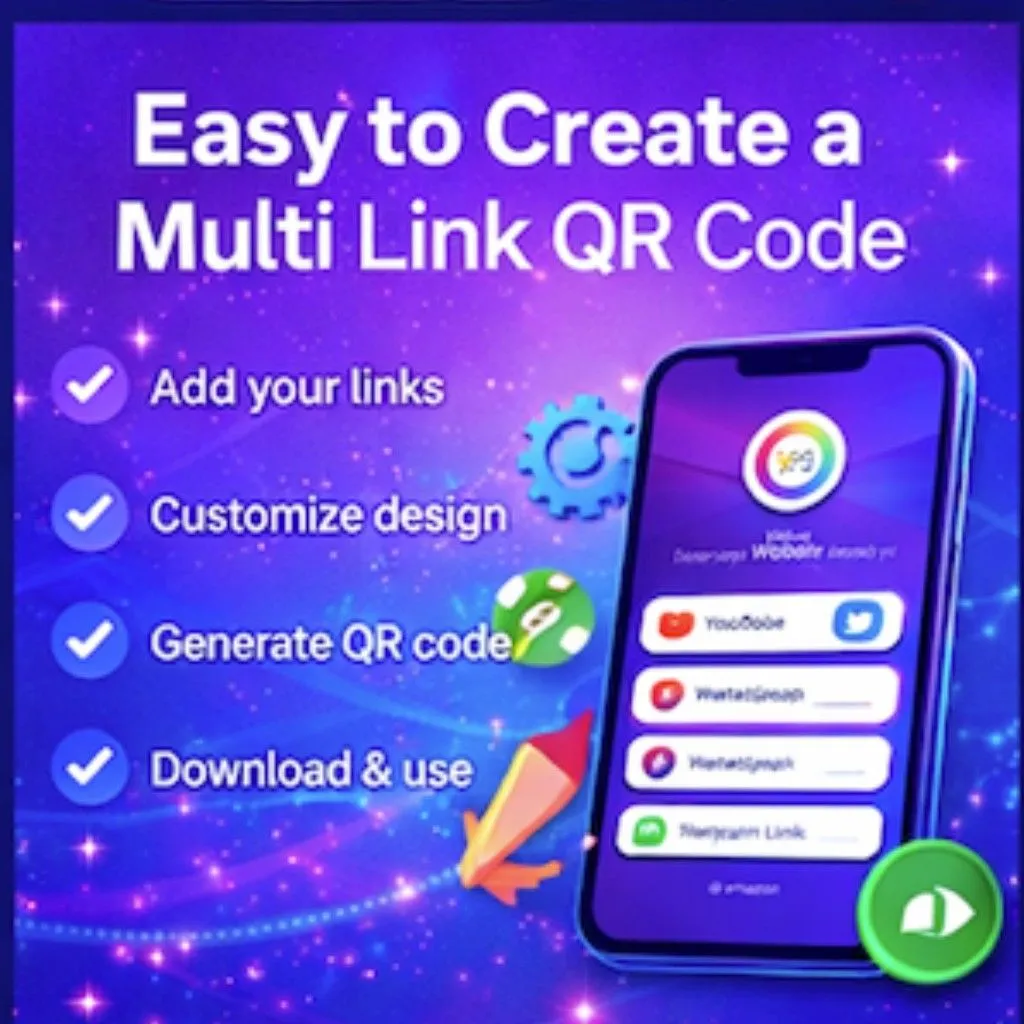
Here’s how easy it is:
- Visit
- Select All-in-One QR option
- Add multiple links
- Customize your design
- Generate and download
That’s it — your smart QR is ready.
Real-Life Use Cases
Businesses
Share services, website, and contact info.
Influencers
Add Instagram, YouTube, affiliate links.
Restaurants
Menu + WhatsApp orders + location.
Events
Registration + details + contact.
Why Experts Recommend Multi Link QR Codes
Marketing experts suggest using multi link QR codes because they simplify communication and improve user engagement.
Instead of giving users multiple choices separately, you present everything in one place. Tools like AllQR make it easy to manage and update links anytime.
SEO & Marketing Benefits
Using a multi link QR code helps:
- Increase traffic
- Improve engagement
- Boost conversions
- Track user behavior
- Connect offline to online
Future of Multi Link QR Codes
QR technology is evolving fast. In the future, we will see:
- AI-based personalization
- Dynamic content updates
- Advanced analytics
- Integration with marketing tools
Businesses that adopt early will stay ahead.
Conclusion
A multi link QR code is one of the smartest tools you can use in 2026. It simplifies how you share information and improves how users interact with your content.
Instead of sending multiple links, just share one QR code.
FAQ – Multi Link QR Code
Q1. What is a multi link QR code?
It is a QR code that contains multiple links like website, social media, and contact options.
Q2. Which is the best multi link QR code generator?
You can use to create multi-link QR codes easily.
Q3. Can I create multi link QR code for free?
Yes, platforms like offer free QR code generation.
Q4. Where can I use multi link QR codes?
You can use them on business cards, posters, packaging, and marketing materials.
Q5. Can I track QR code scans?
Yes, dynamic QR tools like provide analytics.
Q6. Is multi link QR useful for business?
Yes, it improves engagement and simplifies communication.