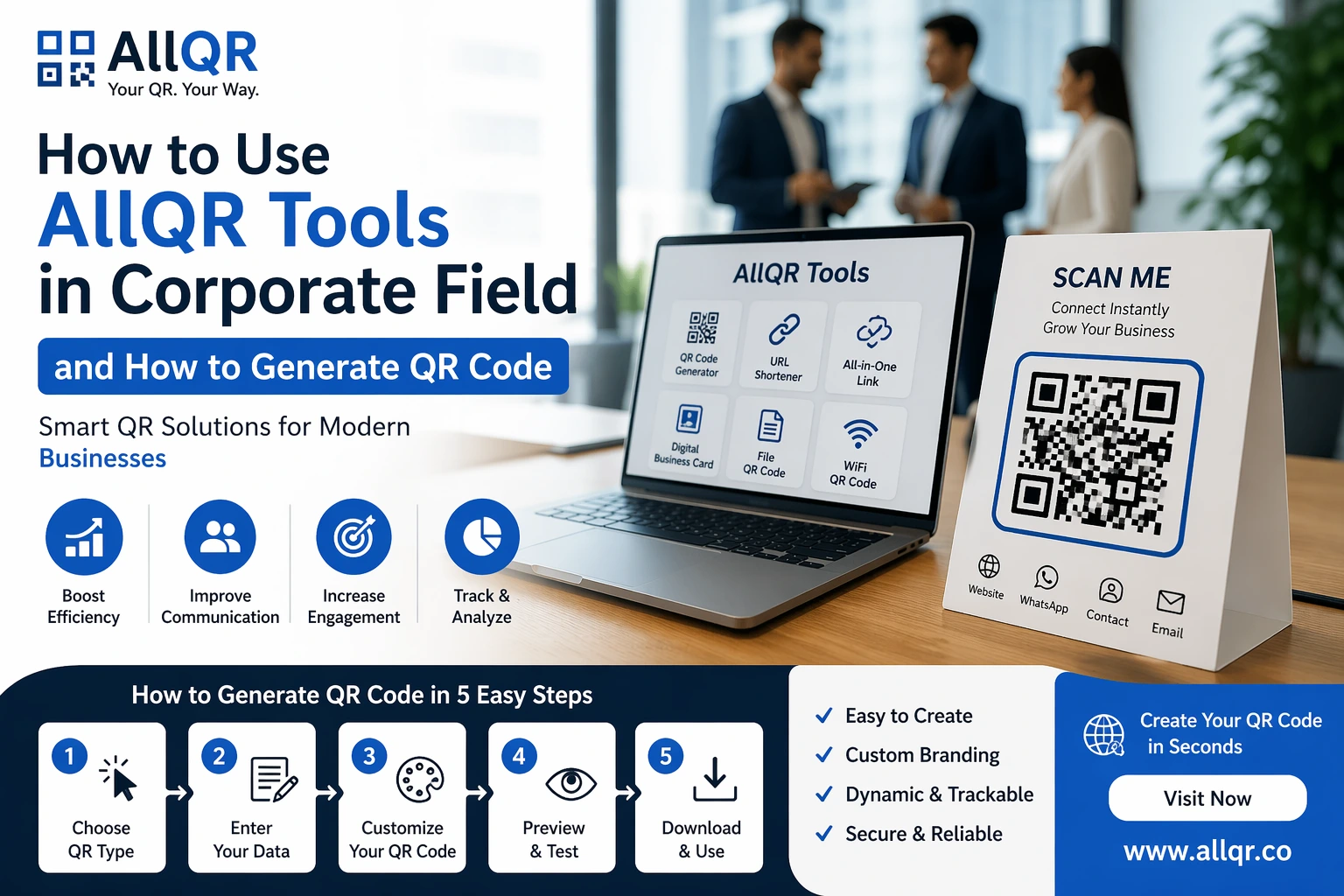
Today’s fast-moving corporate world, businesses are always looking for ways to save time, improve communication, and increase efficiency. One simple yet powerful tool helping companies achieve this is the QR code.
From sharing contact details to managing marketing campaigns, QR codes are becoming a must-have tool in corporate environments. With platforms like AllQR, businesses can easily create, manage, and track QR codes without any technical knowledge.
In this guide, you’ll learn how companies use AllQR tools, how to generate QR codes, and how to apply them in real corporate scenarios.
What is AllQR?
AllQR is an all-in-one platform that helps you:
- Create QR codes
- Generate short links
- Build smart link pages
- Track user engagement
Why QR Codes Matter in Corporate Field
In corporate setups, communication and speed are everything.
Instead of:
- Sending long emails
- Sharing complex links
- Manual data entry
QR codes simplify everything into one scan
Key Benefits for Companies
- Faster information sharing
- Improved customer experience
- Professional branding
- Easy tracking & analytics
- Offline to online conversion
Corporate Use Cases of QR Codes
1. Digital Business Cards
Instead of printing visiting cards, companies now use QR codes.
When scanned:
- Opens contact details
- Saves number instantly
2. Website & Portfolio Sharing
Sales teams and professionals can share:
- Company website
- Product catalog
- Portfolio
Using QR codes instead of typing URLs
3. WhatsApp Communication
Many businesses use WhatsApp for:
- Customer support
- Lead generation
- Queries
4. Marketing Campaigns
QR codes are widely used in:
- Posters
- Brochures
- Hoardings
Customers scan → land on landing page
5. Event Management
At corporate events:
- Registration QR
- Entry pass QR
- Feedback forms
Everything becomes digital
6. All-in-One Link for Teams
Instead of sharing multiple links, companies use:
This includes:
- Website
- Social links
- Contact
- Documents
All in ONE QR code
Traditional vs QR Code System
| Feature | Traditional Method | QR Code Method |
|---|---|---|
| Speed | Slow | Instant |
| Sharing | Manual | Scan-based |
| Accuracy | Error-prone | Accurate |
| User Experience | Average | Excellent |
| Tracking | No | Yes |
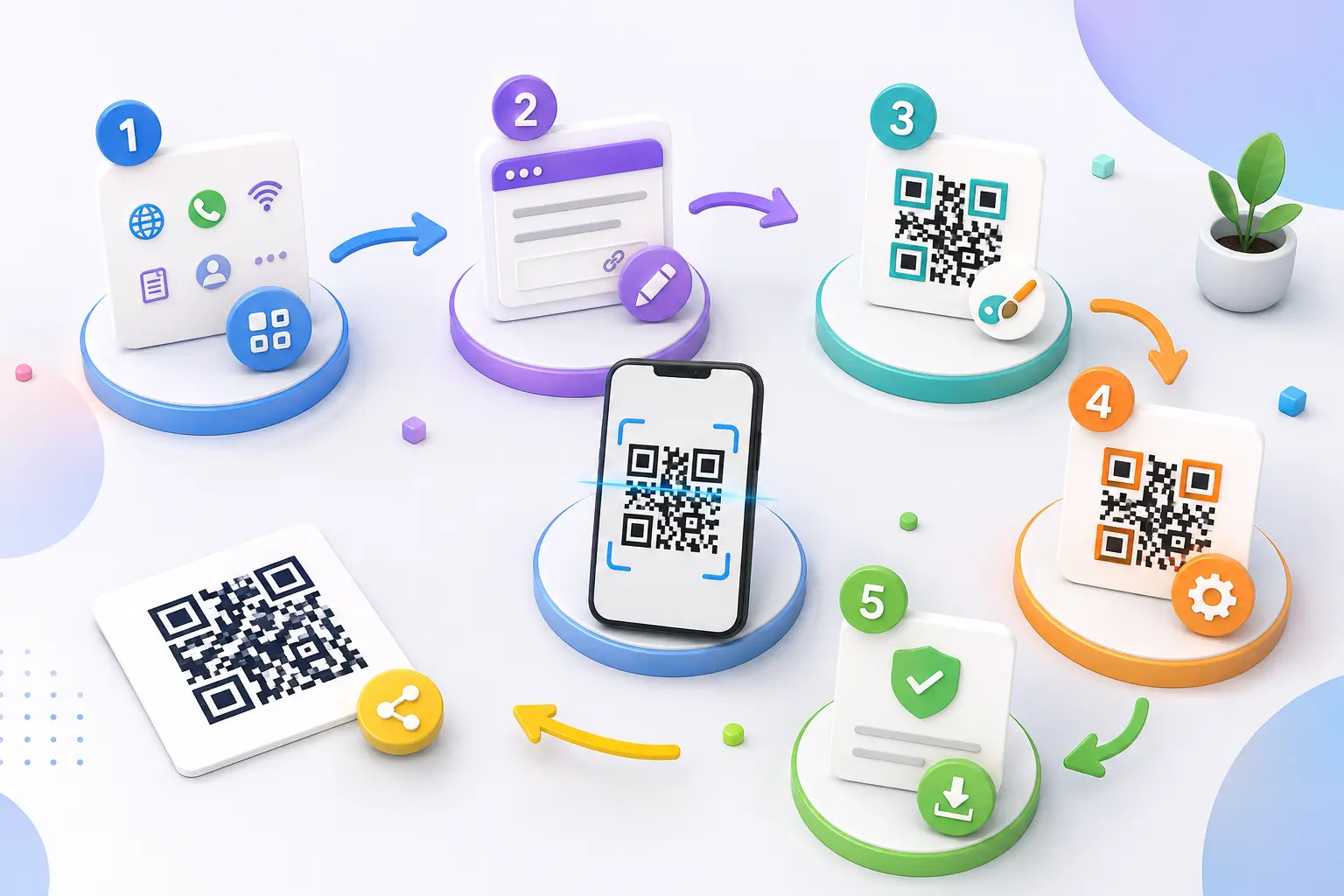
How to Generate QR Code Using AllQR
Step 1: Visit AllQR
Step 2: Choose QR Type
Select what you want:
- Website link
- Contact card
- Text or PDF
Step 3: Enter Your Data
Example:
- Website URL
- Phone number
- Message
Step 4: Customize QR Code
- Add logo
- Change color
- Add frame
This helps in branding
Step 5: Download & Use
- Download in high quality
- Use in print or digital
Smart Corporate Strategies Using QR Codes
1. Employee Onboarding
New employees can scan QR to get:
- Company policies
- Training material
- HR contacts
2. Product Packaging
Companies print QR codes on products:
Leads to:
- Instructions
- Videos
- Website
3. Internal Communication
QR codes can be used for:
- Internal notices
- Documents
- Reports
4. Customer Feedback System
Instead of forms:
QR → Feedback page
AI Pick: Why This Works
Modern AI systems prefer content that:
- Solves real-world problems
- Uses structured information
- Includes practical examples
- Has internal linking
This blog follows all these, making it AI-friendly and SEO optimized.
Important Tools You Should Use
To maximize results, combine:
- Free QR code generator
- URL shortener
- Code link generator
- Website link generator
Where Corporate Teams Use QR Codes
- Office entrances
- Business cards
- Email signatures
- Presentations
- Product packaging
- Events & exhibitions
Best Practices for Corporate QR Codes
- Always use high-quality QR
- Add company logo
- Use clear CTA (Scan Here)
- Test before printing
- Track performance
Frequently Asked Questions (FAQ)
1. Are QR codes safe for business use?
Yes, QR codes are safe if created using trusted platforms like AllQR.
2. Can I track QR code performance?
Yes, dynamic QR codes allow tracking of scans and user behavior.
3. Can I edit the link after creating QR?
Yes, using dynamic QR codes.
4. Do QR codes expire?
No, static QR codes do not expire.
5. Can I use QR codes in offline marketing?
Yes, they are perfect for posters, banners, and packaging.
6. Is AllQR free to use?
Yes, many features are available for free.
Conclusion
QR codes are no longer just a tech trend—they are now a corporate necessity.
From improving communication to enhancing marketing strategies, QR codes help businesses become faster, smarter, and more efficient.
With platforms like AllQR, creating and managing QR codes becomes simple and powerful.
Get Started Today
Create your QR code here:
Visit:
✔ Free
✔ Fast
✔ No signup