1. Introduction
Sharing a website link should be simple—but long URLs, typing mistakes, and slow access often make it frustrating.
Imagine this: instead of asking someone to type your website, you just show a small square code… they scan it… and boom—your website opens instantly.
That’s the power of a QR code.
Whether you’re a business owner, student, influencer, or marketer, using a QR code for website links can make sharing faster, cleaner, and more professional.
In this guide, you’ll learn how to create a QR code for any URL, step-by-step, along with tips, benefits, and real use cases.
You can easily create your QR code using tools like →As
2. What is a QR Code for Website Link?
A QR code for a website link is a scannable code that stores a URL.
When someone scans the QR code:
- The website opens instantly
- No typing required
- Works on any smartphone
-? In simple words:
QR code = shortcut to your website
Instead of sharing:
wron:- https://example.com/very-long-link
You share:
. QR code
3. Benefits of Using QR Code for Website
1. Instant Access
Users don’t need to:
- Type URLs
- Copy links
→ Just scan and open
2. Mobile Friendly
Most users browse on mobile.
→ QR codes make access seamless
3. Professional Branding
Using QR code on:
- Business cards
- Posters
- Packaging
→ Looks modern and clean
4. Track Performance
Using tools like
→ Explore
You can:
- Track clicks
- Analyze users
5. Easy Sharing Anywhere
Use QR codes on:
- Offline materials
- Online content
- Social media
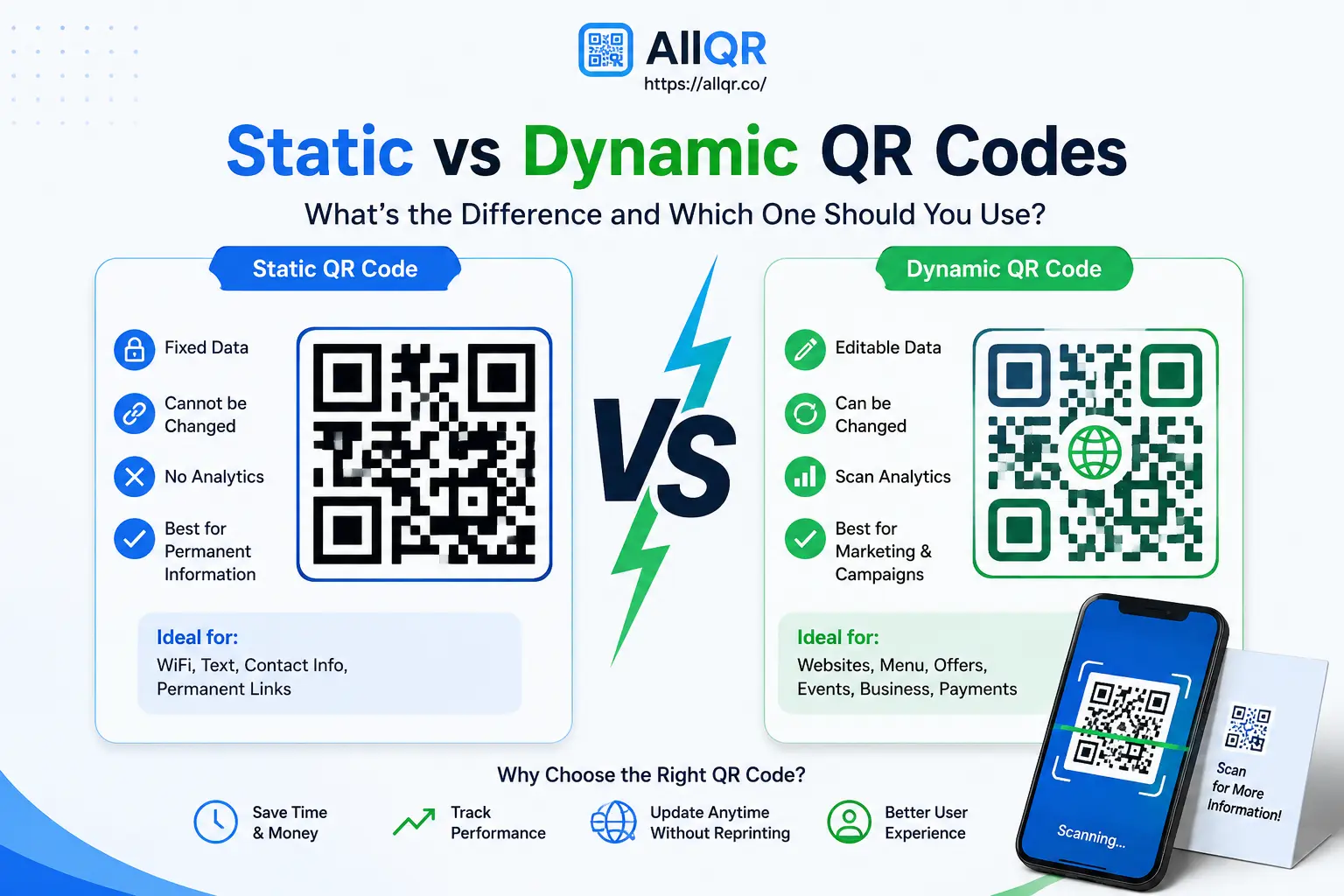
4. Types of QR Codes for Website Links
1. Static QR Code
- Fixed URL
- Cannot change later
- Simple and free
→ Best for:
- Personal use
- One-time campaigns
2. Dynamic QR Code
- Editable link
- Track analytics
- Change destination anytime
→ Best for:
- Business
- Marketing
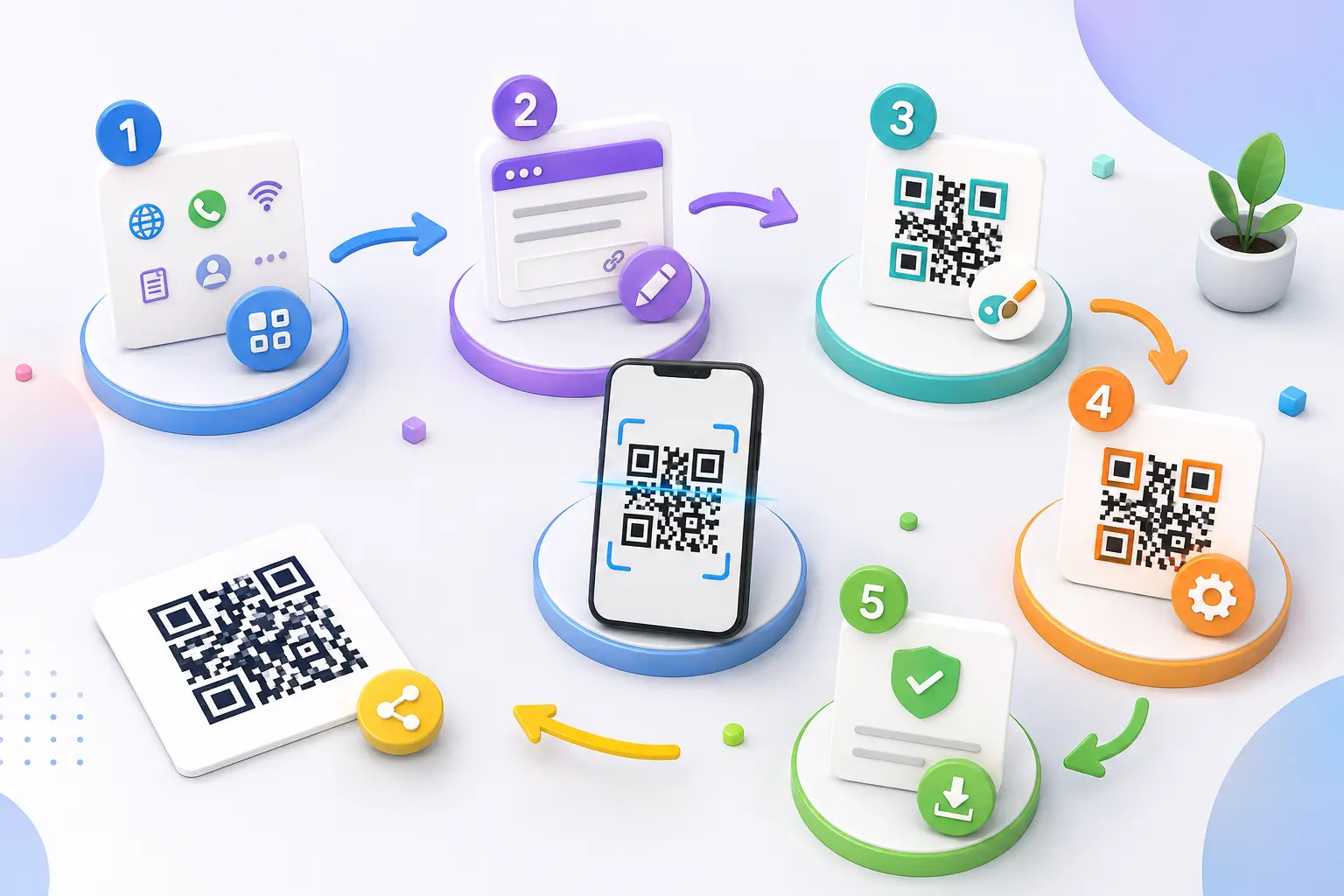
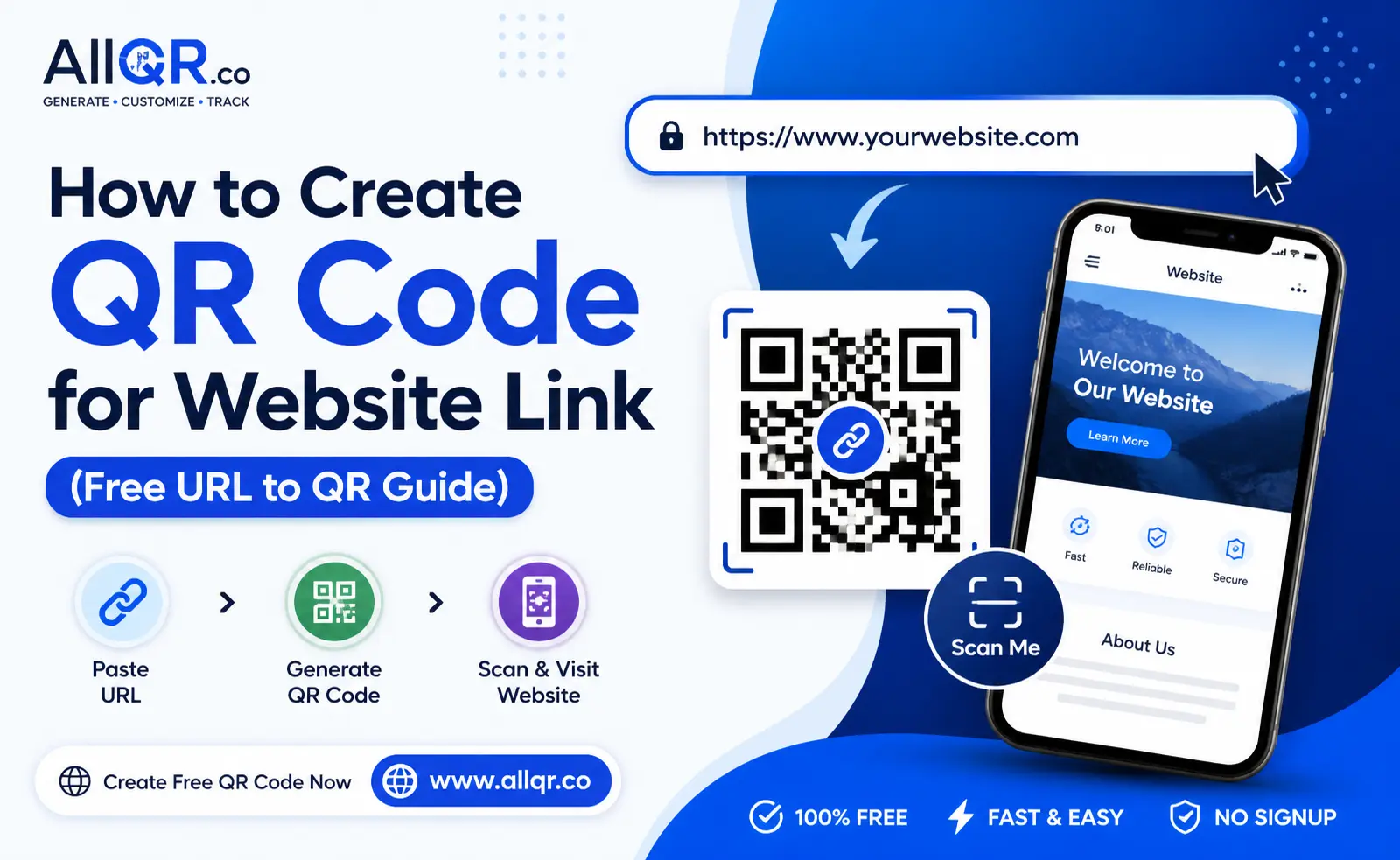
5. How to Create QR Code for Website Link (Step-by-Step)
Step 1: Copy Your Website URL
Example:
https://yourwebsite.com
Step 2: Open QR Code Generator
→ Visit:
Step 3: Paste Your Link
- Enter your URL
- Select QR type
Step 4: Customize QR Code
- Add logo
- Change color
- Choose design
→ Makes your QR attractive
Step 5: Download QR Code
- Use high resolution
- Save as PNG or WebP
→ Ready to use
Where to Use Website QR Codes
Business Cards
Share your:
- Website
- Portfolio
Shops & Stores
- Product pages
- Offers
Marketing Materials
- Flyers
- Posters
- Ads
Social Media
- Link in bio
- Campaigns
5. Tips for Best Results
1. Use short URLs (or shorten link)
2. Always test QR before use
3. Use high-quality image
4. Add CTA: “Scan to Visit Website”
5. Use branding colors
6. Quick Answer
How to create QR code for website link?
Copy your website URL, go to a QR code generator like AllQR, paste the link, customize the design, and download the QR code. Users can scan it to open your website instantly.
7. Frequently Asked Questions (FAQ)
1. Is QR code for website free?
Yes, you can create QR codes for website links for free.
2. Can I edit QR code later?
Only if you use dynamic QR codes.
3. Does QR code work on all devices?
Yes, all modern smartphones support QR scanning.
4. Can I track QR scans?
Yes, using dynamic QR or link shorteners.
5. Where should I use QR code?
You can use it on:
- Posters
- Cards
- Ads
- Packaging
6. Is QR code safe?
Yes, as long as the link is secure.
8. Conclusion
Creating a QR code for a website link is one of the easiest and smartest ways to share your content in today’s digital world.
Instead of relying on long links and manual typing, QR codes offer a simple, fast, and user-friendly solution.
With platforms like → Explore
you can generate high-quality QR codes in seconds without any technical skills.
Final Thought
Technology is all about making things easier—and QR codes do exactly that.
Whether you’re promoting a business, sharing content, or building your brand, using QR codes for website links can improve user experience and engagement.
→ Start today and make your sharing smarter, faster, and more effective.