Introduction
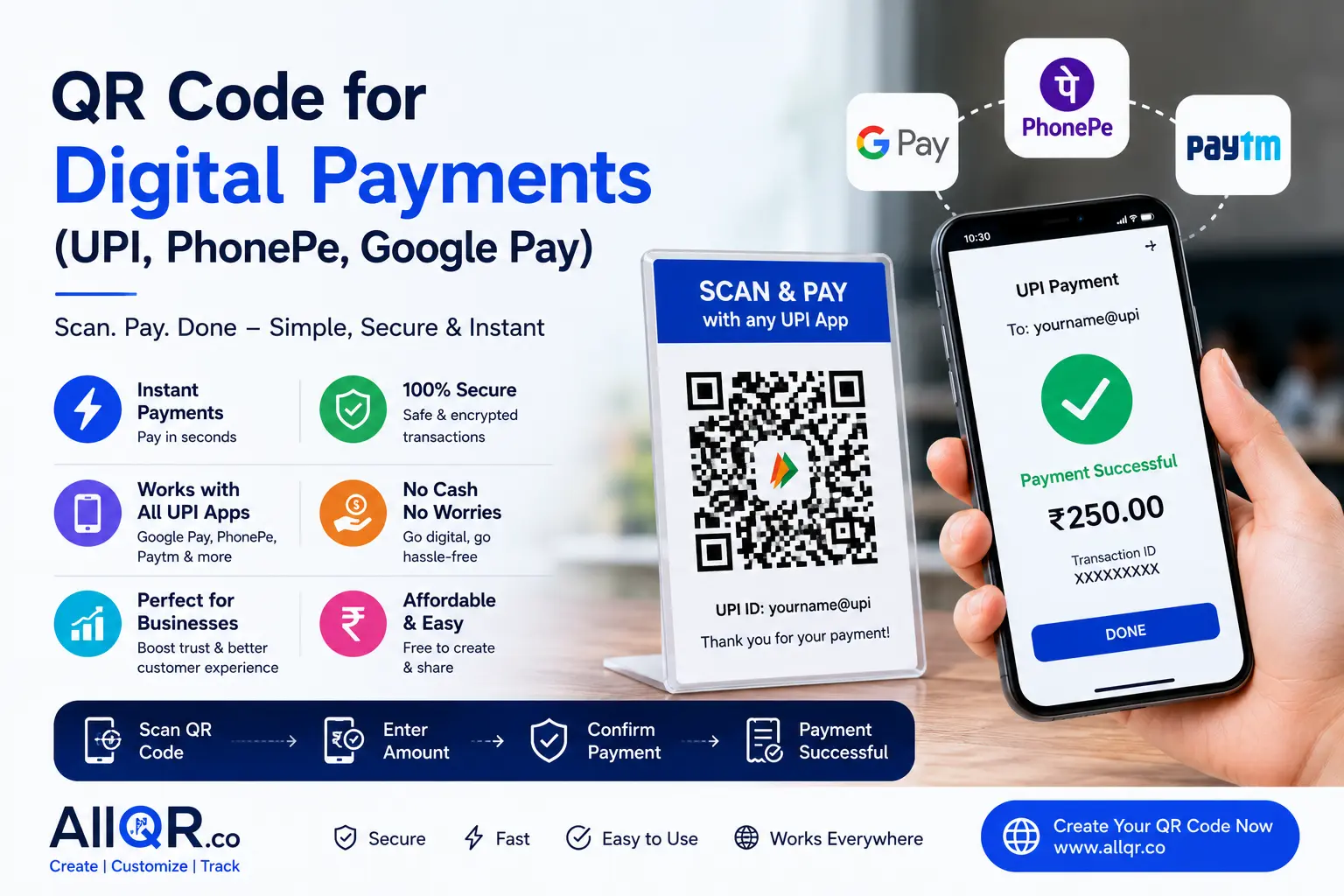
Digital payments have become a simple part of everyday transactions. From local shops and restaurants to freelancers and online businesses, QR codes for digital payments make it easy for customers to pay by scanning a code with their preferred UPI app.
Instead of handling cash or manually entering payment details, customers can scan a QR code using Google Pay, PhonePe, Paytm, or another UPI-enabled app and complete the payment within seconds.
For businesses, a digital payment QR code can provide a faster and more convenient way to accept payments while giving customers a familiar checkout experience.
In this guide, you’ll learn how digital payment QR codes work, their benefits and types, how to create one, and the best practices for using them safely and effectively.
What is a QR Code for Digital Payments?
A Digital Payment QR Code is a scannable code that allows customers to send money instantly using UPI-based payment apps such as:
- Google Pay
- PhonePe
- Paytm
- BHIM UPI
- Amazon Pay
- Other UPI-supported applications
When someone scans the QR code, the payment details automatically appear in their payment app. The customer simply confirms the amount and completes the transaction securely.
This eliminates manual typing errors and speeds up the payment process.
Why Digital Payment QR Codes are Becoming Popular
People today prefer quick and contactless payment methods.
Businesses also benefit because QR payments are:
- Faster than cash
- Easy to manage
- Secure
- Affordable
- Accepted almost everywhere
Whether you're a freelancer, shop owner, restaurant, consultant, or online seller, QR payments make receiving money easier.
Benefits of Using QR Codes for Digital Payments
1. Faster Payments
Customers simply scan and pay within seconds.
2. Contactless Transactions
Perfect for hygienic and modern payment experiences.
3. No Typing Errors
Customers don't need to enter your UPI ID manually.
4. Better Customer Experience
A faster checkout process leads to happier customers.
5. Works Across Multiple Apps
One UPI QR Code can work with:
- Google Pay
- PhonePe
- Paytm
- BHIM
- Amazon Pay
6. Easy to Print
You can place your QR code on:
- Counter
- Business cards
- Product packaging
- Bills
- Flyers
- Posters
- Menus
7. Ideal for Small Businesses
No expensive payment machines are required.
8. Secure Transactions
UPI payments use secure banking systems, making transactions safe.
Types of Digital Payment QR Codes
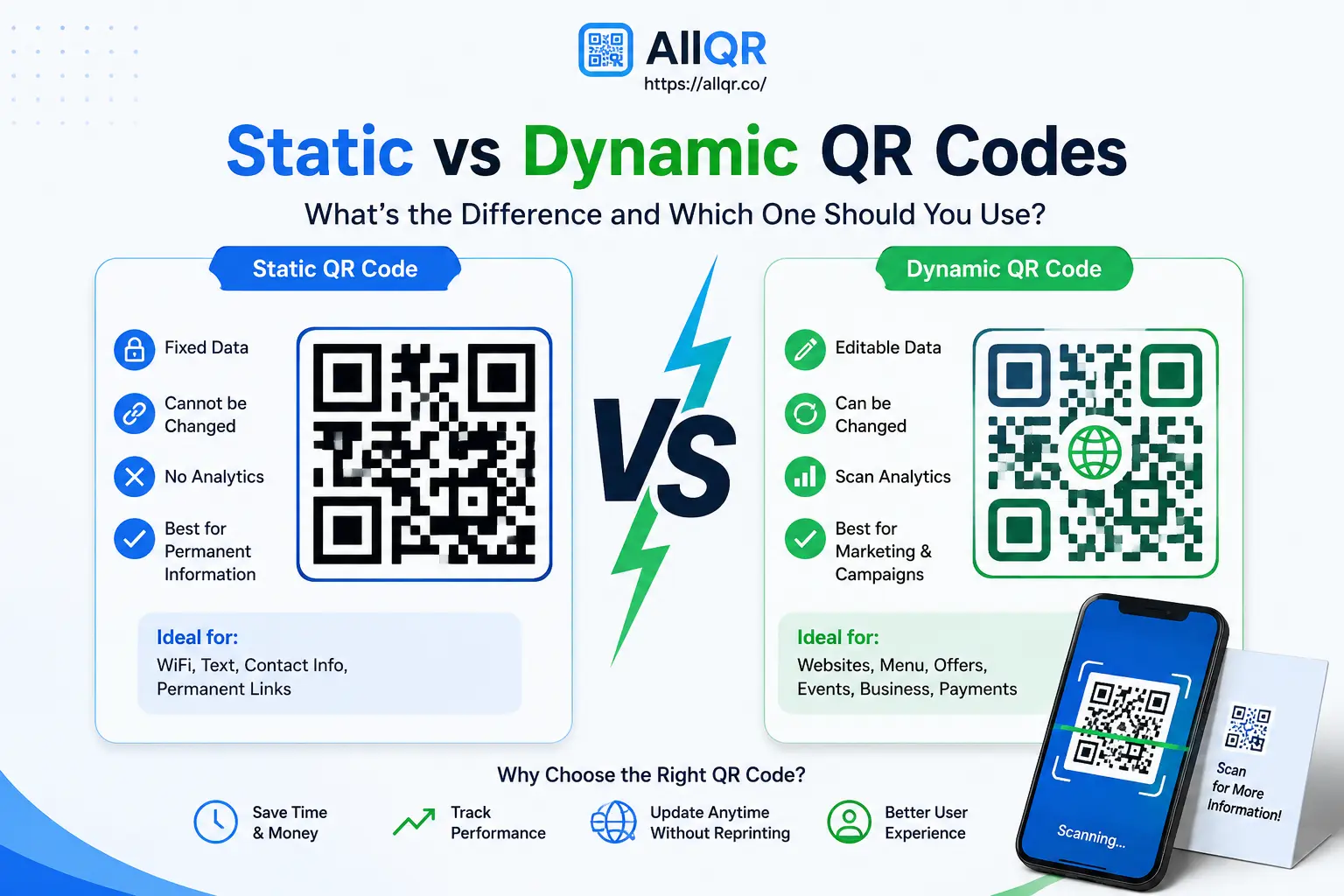
Static QR Code
A static QR code contains fixed payment information.
Best for:
- Small shops
- Freelancers
- Local vendors
Advantages
- Easy to create
- Free
- Unlimited scans
Dynamic QR Code
Dynamic QR codes allow editing payment information without changing the QR image.
Useful for:
- Large businesses
- Multiple payment campaigns
- Tracking performance
Advantages
- Editable
- Better analytics
- Flexible
How to Create a QR Code for UPI, PhonePe & Google Pay
Creating a payment QR code is simple.
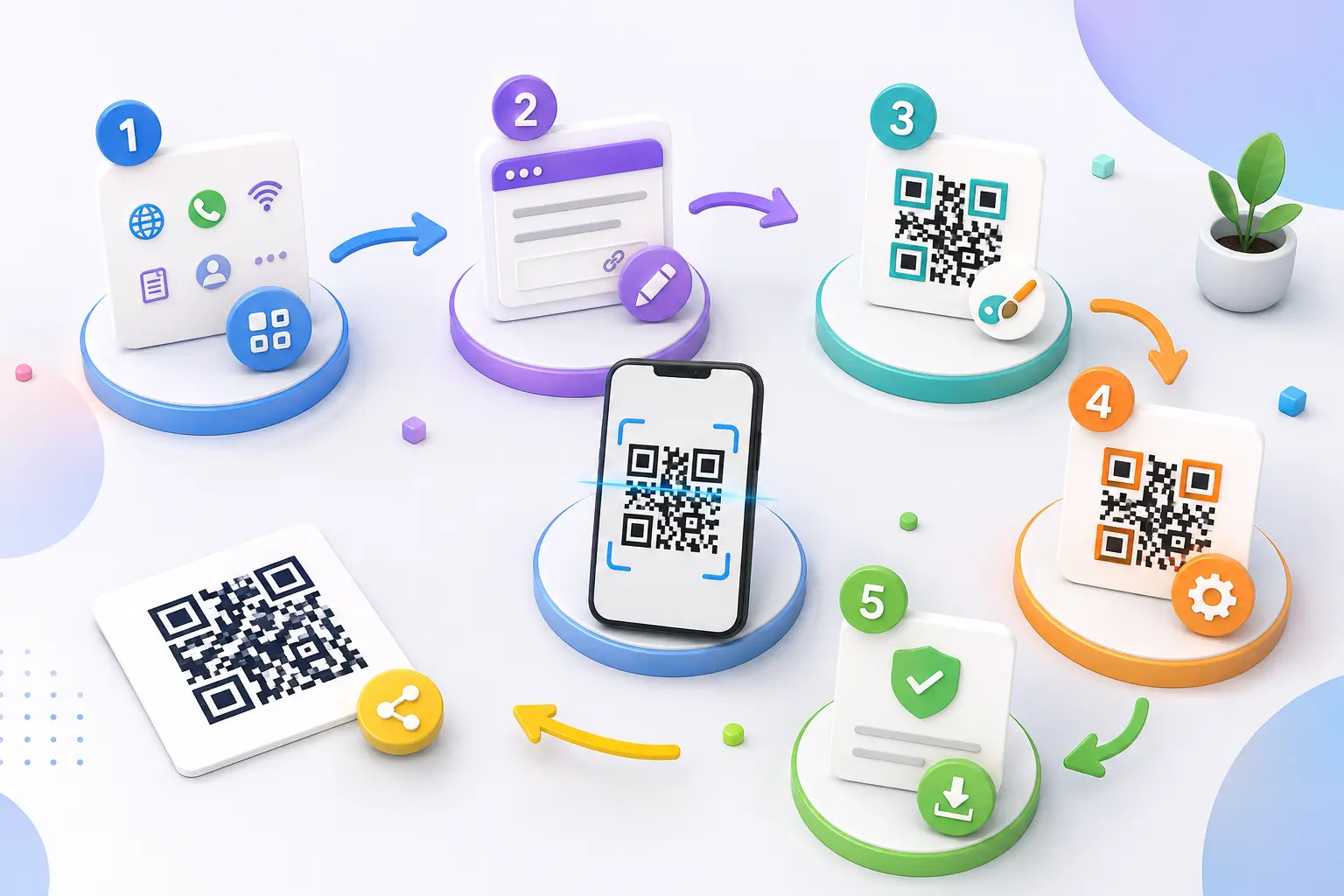
Step 1
Visit AllQR QR Code Generator
Step 2
Choose the UPI QR Code Generator.
Step 3
Enter your:
- UPI ID
- Payee Name
- Optional Amount
- Optional Payment Note
Step 4
Click Generate QR Code.
Step 5
Download the QR code in high quality.
Step 6
Print it or share it digitally.
Where Can You Use Digital Payment QR Codes?
Businesses use payment QR codes almost everywhere.
Examples include:
- Retail Shops
- Restaurants
- Grocery Stores
- Medical Clinics
- Cafes
- Salons
- Hotels
- Tuition Classes
- Delivery Services
- Street Vendors
- Event Ticket Counters
- Donation Campaigns
Why Businesses Prefer QR Payments
QR code payments reduce waiting time and improve customer satisfaction.
Customers appreciate the convenience of paying instantly using their favorite payment apps.
Business owners also receive instant payment confirmations.
Tips for Better QR Code Payments
To get the best results:
✔ Print in high resolution
✔ Place it at eye level
✔ Keep the QR code clean
✔ Avoid blurry prints
✔ Test before sharing
✔ Display clear payment instructions
✔ Keep proper lighting around the QR
✔ Replace damaged QR posters immediately
Common Mistakes to Avoid
Avoid these mistakes while using payment QR codes:
❌ Using low-quality images
❌ Printing very small QR codes
❌ Wrong UPI ID
❌ Damaged or folded QR posters
❌ Not testing before printing
❌ Sharing outdated payment information
Quick Answer
Can I use one QR code for Google Pay, PhonePe, and Paytm?
Yes.
If you create a standard UPI QR Code, customers can scan it using Google Pay, PhonePe, Paytm, BHIM, Amazon Pay, and other UPI-supported apps.
One QR code works across multiple payment applications.
Why Choose AllQR?
AllQR helps individuals and businesses generate professional QR codes quickly.
With AllQR, you can create:
- UPI QR Codes
- Website QR Codes
- PDF QR Codes
- WiFi QR Codes
- Digital Business Cards
- WhatsApp QR Codes
- Contact QR Codes
It is fast, user-friendly, and suitable for both personal and business use.
Related QR Code Tools
You may also find these tools useful:
- UPI QR Code Generator
- Website URL QR Code Generator
- PDF QR Code Generator
- WiFi QR Code Generator
- WhatsApp QR Code Generator
- Digital Business Card Generator
Explore these tools on AllQR to simplify sharing and payments.
Frequently Asked Questions (FAQ)
1. Is a UPI QR Code free?
Yes. Many QR code generators, including AllQR, allow you to create a free UPI QR code.
2. Can Google Pay scan PhonePe QR Codes?
Yes.
Standard UPI QR codes are compatible with most UPI payment apps.
3. Can I print my payment QR code?
Absolutely.
You can print it on posters, tables, business cards, invoices, menus, and packaging.
4. Is QR payment secure?
Yes.
UPI payments are processed through secure banking systems.
5. Can I receive international payments?
UPI QR codes mainly support Indian banking systems, although UPI acceptance is expanding in some international locations.
6. Do I need a business account?
No.
Individuals and businesses can both use UPI QR codes.
7. Can I add a fixed payment amount?
Yes.
Many QR generators allow you to prefill the payment amount.
8. Which apps support UPI QR Codes?
Popular apps include:
- Google Pay
- PhonePe
- Paytm
- BHIM
- Amazon Pay
Conclusion
Digital payment QR codes have transformed the way people send and receive money. Whether you own a small shop, manage a restaurant, work as a freelancer, or run a growing business, accepting payments through QR codes is one of the easiest ways to improve customer convenience and speed up transactions.
With AllQR, creating a professional UPI, Google Pay, or PhonePe QR code takes only a few minutes. Once generated, you can use it across printed materials, online platforms, invoices, and marketing campaigns to make payments effortless for your customers.
If you're looking for a simple, secure, and reliable way to accept digital payments, create your payment QR code today with AllQR and make every transaction faster and smarter.