Introduction
QR codes are now part of everyday life, from restaurant menus and business cards to product packaging, events, and marketing campaigns. But not all QR codes offer the same flexibility.
If you need to change a QR code’s destination after printing, update a link, or track scans, a Dynamic QR Code Generator can make the process much easier. Unlike a static QR code, a dynamic QR code lets you manage the destination without replacing the printed code.
In this guide, you’ll learn what a dynamic QR code is, how it works, its key benefits and use cases, and how to create one step by step.
What Is a Dynamic QR Code Generator?
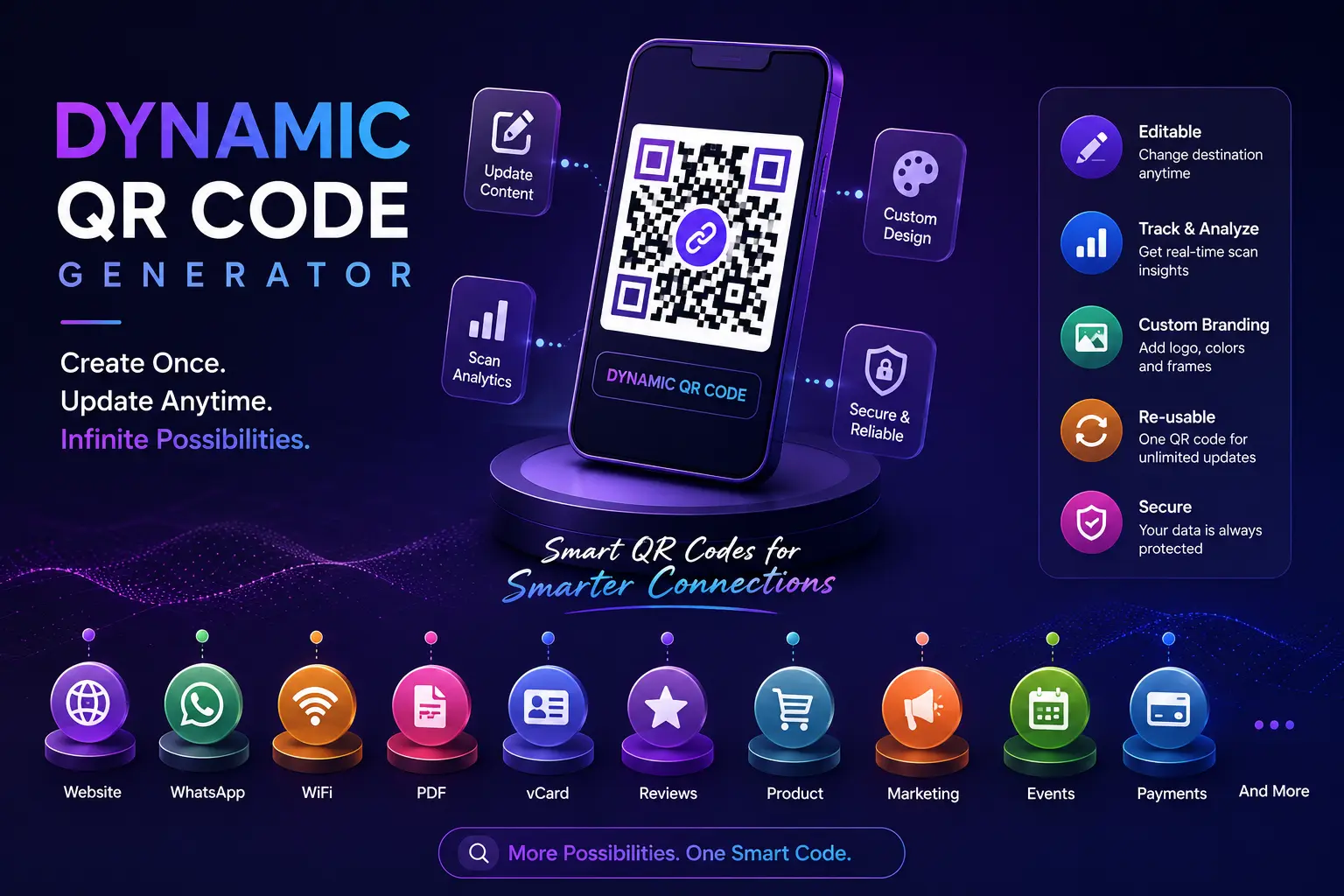
A Dynamic QR Code Generator is an online tool that creates QR codes with editable destinations.
Instead of storing the final website or file directly inside the QR code, a dynamic QR code stores a short redirect link. This allows you to update the destination whenever needed without changing the QR code itself.
For example:
You print 5,000 brochures with a QR code linking to your summer sale.
Later, the sale ends.
Instead of reprinting everything, you simply update the destination inside the dashboard.
The same QR code now opens your new promotion.
That's the biggest advantage of dynamic QR codes.
How Does a Dynamic QR Code Work?
The process is simple.
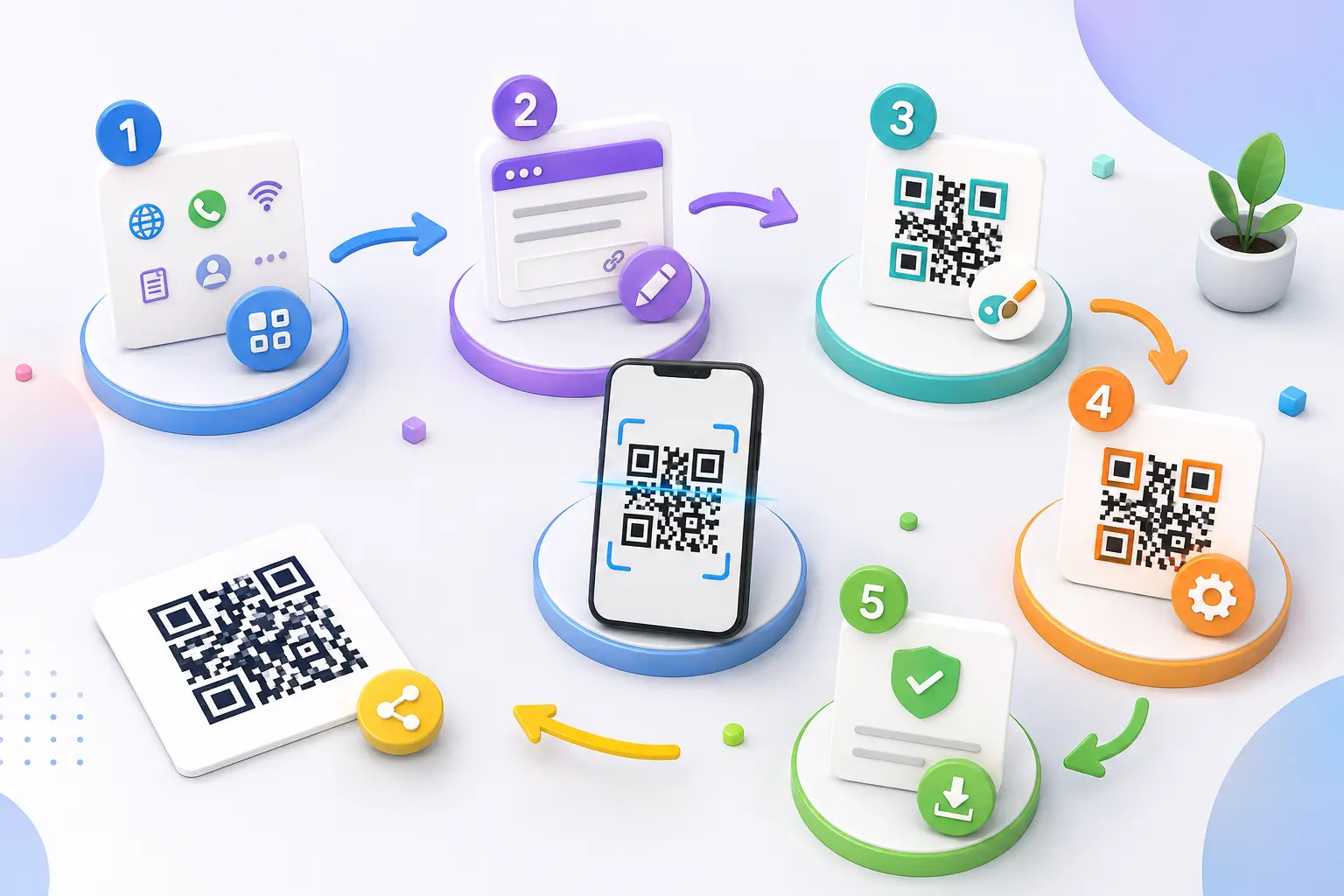
- Create your QR code.
- Enter your destination URL.
- Download and print the QR code.
- Update the destination anytime from your dashboard.
Your customers continue scanning the same QR code while seeing your latest content.
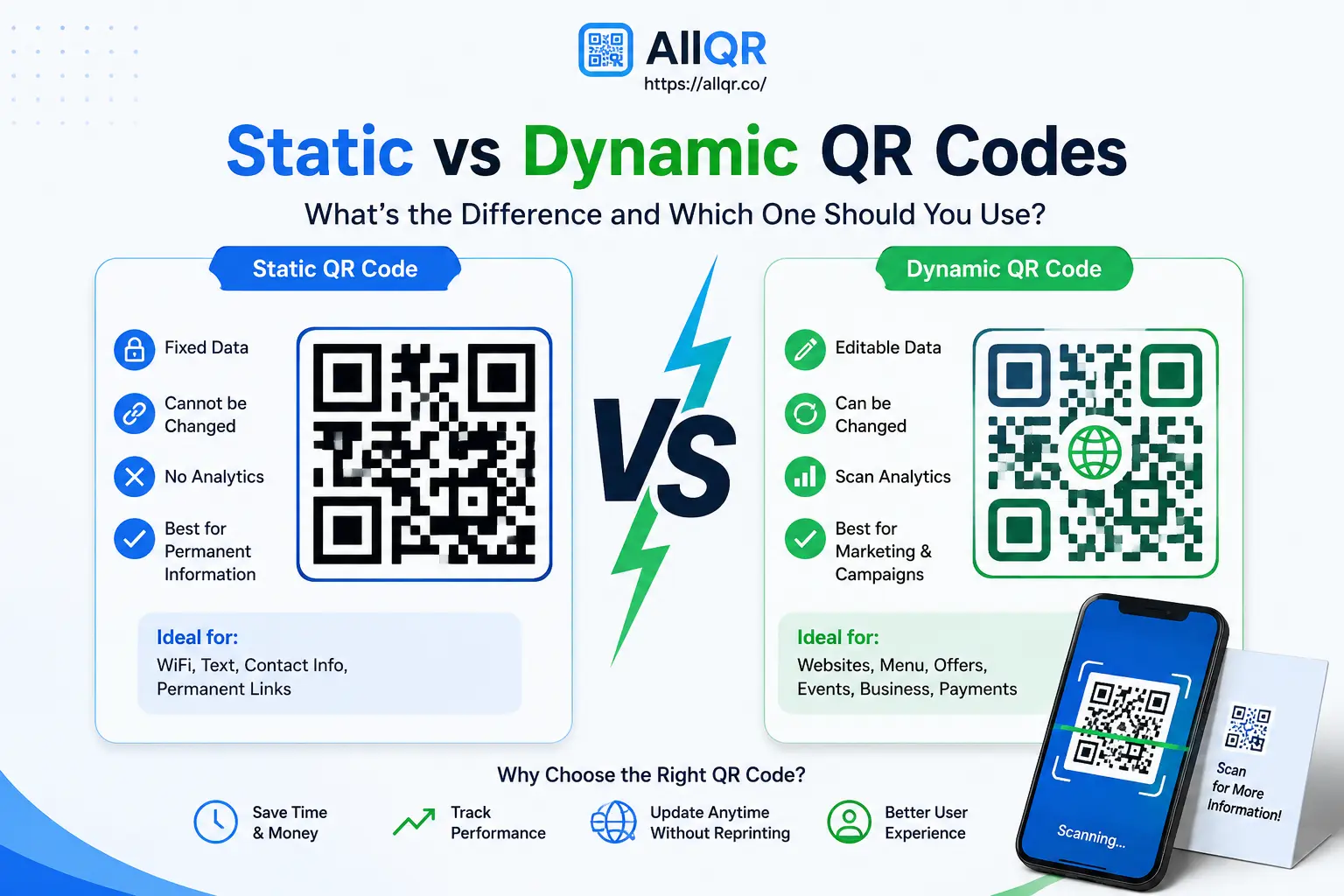
Dynamic QR Code vs Static QR Code
| Feature | Static QR Code | Dynamic QR Code |
|---|---|---|
| Editable | ❌ No | ✅ Yes |
| Scan Analytics | ❌ No | ✅ Yes |
| Change URL | ❌ No | ✅ Anytime |
| Best For | Permanent information | Marketing campaigns |
| Reuse Printed QR | ❌ No | ✅ Yes |
If your information may change in the future, a dynamic QR code is usually the better choice.
Benefits of Using a Dynamic QR Code Generator
Edit Content Anytime
One of the biggest advantages is flexibility.
Need to change your website, PDF, menu, or product page?
Simply update the destination without creating a new QR code.
Track Scan Performance
Dynamic QR codes provide useful insights such as:
- Number of scans
- Scan date
- Device type
- General location
- Campaign performance
This information helps businesses understand customer engagement.
Save Printing Costs
Imagine printing thousands of flyers.
With a static QR code, changing the destination means reprinting everything.
With a dynamic QR code, you simply update the link.
Better Marketing Campaigns
Businesses often use dynamic QR codes because campaigns change frequently.
Examples include:
- Seasonal offers
- Product launches
- Restaurant menus
- Event registration
- Digital catalogues
Professional Branding
Many platforms allow you to customize your QR code by adding:
- Company logo
- Brand colors
- Custom frames
- Call-to-action text
Branded QR codes often attract more scans than plain black-and-white designs.
Where Can You Use Dynamic QR Codes?
Business Cards
Update your contact information without printing new cards.
Restaurant Menus
Change menu items or prices while keeping the same QR code on every table.
Product Packaging
Redirect customers to:
- User manuals
- Videos
- Warranty pages
- Product updates
Events
Use one QR code for:
- Registration
- Check-in
- Speaker schedules
- Feedback forms
Marketing Campaigns
Track offline marketing performance using scan analytics.
Examples:
- Posters
- Billboards
- Brochures
- Store displays
How to Create a Dynamic QR Code
Creating a dynamic QR code takes only a few minutes.
Step 1
Open a trusted Dynamic QR Code Generator like AllQR.
Step 2
Choose the type of QR code.
Examples:
- Website
- Digital Business Card
- Google Review
- WiFi
Step 3
Enter your destination.
Step 4
Customize your QR code.
You can:
- Add your logo
- Change colors
- Add a frame
- Include a call-to-action
Step 5
Generate and download the QR code.
Step 6
Test the QR code before printing or sharing.
Real-World Example
A local café printed QR codes on every table.
Initially, the QR code opened a breakfast menu.
Three months later, they introduced a lunch menu and seasonal specials.
Instead of replacing every table sticker, they simply updated the destination using a dynamic QR code dashboard.
Customers continued scanning the same QR code, while the café saved both time and printing costs.
Tips for Better QR Codes
- Use high-contrast colors.
- Keep enough white space around the QR code.
- Test on Android and iPhone before publishing.
- Add a clear call-to-action like "Scan to View Menu" or "Scan to Get Offer."
- Avoid making the QR code too small.
- Download high-resolution files for printing.
Common Mistakes to Avoid
- Printing before testing
- Using blurry QR code images
- Linking to broken pages
- Choosing poor color combinations
- Making the QR code too small
- Forgetting to update campaigns
Why Businesses Prefer Dynamic QR Codes
Businesses today need flexibility.
Campaigns change.
Menus change.
Products change.
Landing pages change.
Dynamic QR codes let businesses adapt without wasting money on reprinting marketing materials.
That's why many retailers, restaurants, real estate agencies, schools, healthcare providers, and event organizers now use dynamic QR codes every day.
Quick Answer
What is a Dynamic QR Code Generator?
A Dynamic QR Code Generator creates QR codes whose destination can be updated even after the QR code has been printed or shared. It also provides scan analytics, making it ideal for businesses, marketing campaigns, restaurant menus, events, and product packaging.
Frequently Asked Questions
1. What is a dynamic QR code?
A dynamic QR code allows you to change its destination after it has been created and shared.
2. Can I edit a dynamic QR code?
Yes. That's its biggest advantage. You can update the linked content without replacing the QR code.
3. Are dynamic QR codes free?
Many QR code platforms offer free trials or limited free plans. Premium plans usually include advanced analytics and additional customization.
4. Can I track QR code scans?
Yes. Dynamic QR codes often provide analytics such as scan count, device type, and general location.
5. Can I add my logo?
Yes. Most modern dynamic QR code generators allow logo and color customization.
6. Who should use dynamic QR codes?
They're ideal for businesses, restaurants, marketers, event organizers, educators, freelancers, and anyone who needs flexibility after printing a QR code.
Related Tools
You may also find these helpful:
- Free QR Code Generator
- Website QR Code Generator
- PDF QR Code Generator
- WiFi QR Code Generator
- Google Review QR Code Generator
- Digital Business Card QR Code
- WhatsApp QR Code Generator
Conclusion
A Dynamic QR Code Generator is much more than a tool for creating QR codes—it's a smarter way to share and manage digital content. Whether you're updating a website link, changing a restaurant menu, promoting a new campaign, or tracking customer engagement, dynamic QR codes give you the flexibility that static QR codes can't.
If you're looking for a simple, reliable way to create editable QR codes with customization and analytics, try AllQR. You can generate professional QR codes for websites, PDFs, WiFi, WhatsApp, Google Reviews, digital business cards, and more—all from one easy-to-use platform.
Start creating dynamic QR codes today and make your marketing, customer communication, and information sharing more efficient.