Creating a business website used to mean finding a developer, choosing hosting, preparing a design, and waiting days or weeks before anything was ready.
Today, AI website builders can make the process much simpler.
But there is one thing AI cannot decide for you: what your business actually needs to tell customers.
If you're planning to create a business website with AI for free, spending a little time preparing your information can make the whole process faster and give you a much better result.
You don't need technical knowledge. You simply need the right information.
What Do You Need Before Creating a Business Website With AI?
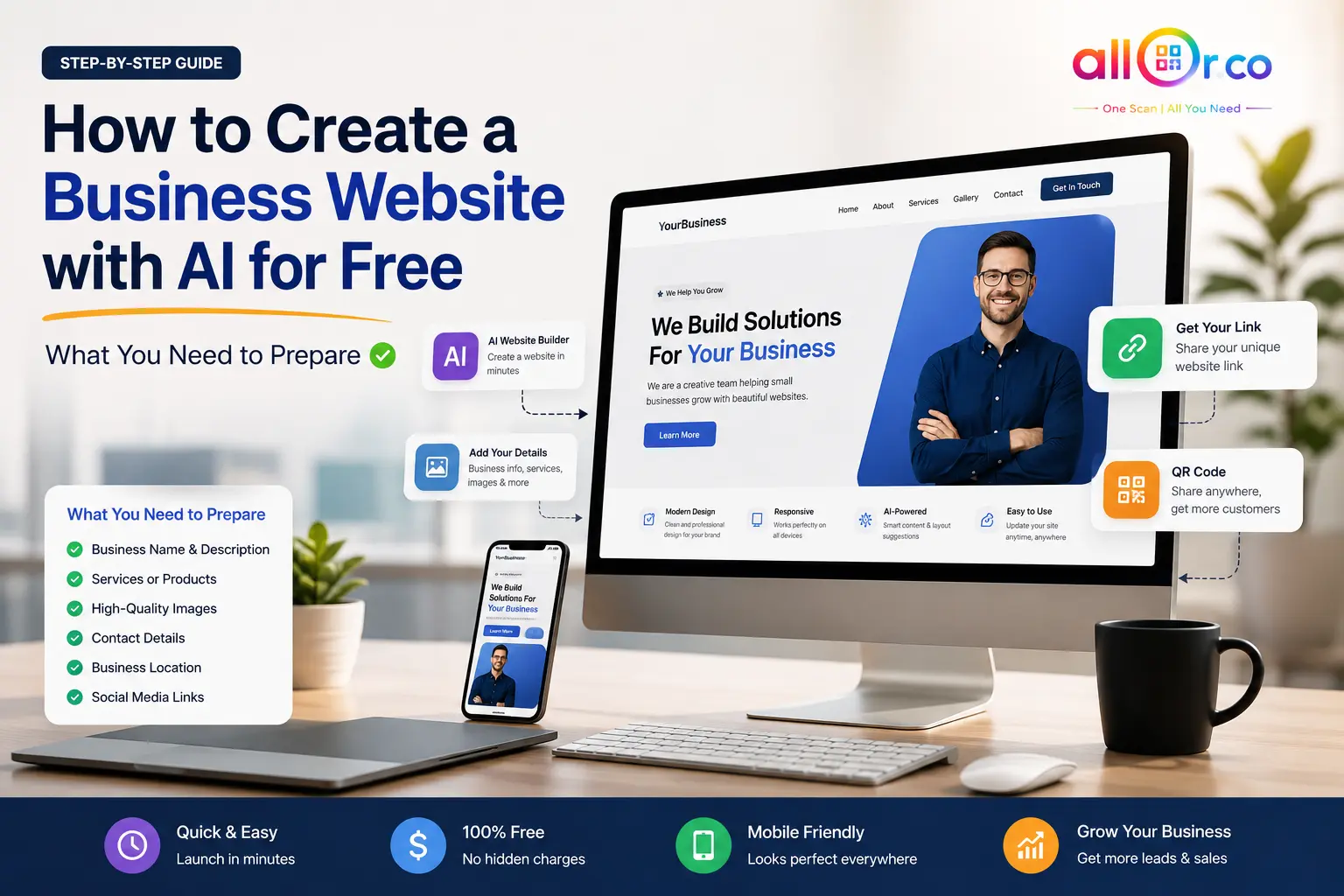
Before opening an AI website builder, keep these basics ready:
- Business name
- Short business introduction
- Services or products
- Business logo
- Good-quality photos
- Phone number
- WhatsApp number
- Email address
- Business location
- Opening hours
- Social media links
- Main goal of the website
You don't need everything to be perfect. You can improve the content after your first version is generated.
1. Start With Your Business Information
The first thing an AI website builder needs is a clear understanding of your business.
Prepare your:
Business Name
Use the actual name customers know you by.
For example:
Bright Smile Dental Clinic
Short Business Description
Write two or three simple sentences explaining what you do.
Instead of:
"We are a leading organization providing comprehensive healthcare solutions."
Try:
"Bright Smile Dental Clinic provides general, cosmetic and family dental care in Ahmedabad. Our team focuses on comfortable treatment and clear advice for every patient."
The second version gives AI much more useful information to work with.
2. Decide What Your Website Should Do
Don't start by thinking about colors and layouts.
First ask:
What should a visitor do after opening my website?
Your answer could be:
- Call my business
- Send a WhatsApp message
- Book an appointment
- Request a quote
- Visit my store
- View my services
- Buy a product
- Find my location
This decision affects the entire website structure.
Example
A local salon may want:
Website → Services → WhatsApp → Appointment
A restaurant may want:
Website → Menu → Location → Order
A photographer may want:
Website → Portfolio → Packages → Contact
A good business website should make that next step obvious.
3. Prepare Your Services or Products
AI can organize your services, but you need to provide the actual information.
For each important service, prepare:
- Service name
- Short description
- Main benefit
- Price, if you want to display it
- Relevant image
For example:
Website Design
Professional, mobile-friendly websites for small businesses that want a stronger online presence.
Keep descriptions short and written for customers rather than search engines.
4. Collect Good Business Photos
Photos can make a huge difference to how professional your website feels.
Try to prepare:
- Business logo
- Main business photo
- Product photos
- Service photos
- Team photos
- Office/store images
You don't necessarily need expensive photography.
A clear smartphone photo with good lighting is often better than a large, blurry stock image.
For example, if you run a bakery, real photos of your cakes and shop can help visitors understand what you actually offer.
Real business images also help your website feel more trustworthy.
5. Prepare Your Contact and Business Details
Don't make customers search for a way to contact you.
Keep these details ready:
| Information | Example |
|---|---|
| Phone | +91 XXXXX XXXXX |
| WhatsApp business number | |
| [email protected] | |
| Address | Full business address |
| Opening Hours | Mon–Sat, 9 AM–7 PM |
| Location | Google Maps link |
| Social Profiles | Instagram, Facebook, YouTube |
If you're a local business, your address and service area can be particularly useful.
6. Decide Your Brand Style
You don't need a complete brand guide.
Just decide a few basics:
Colors
Choose one or two main brand colors.
Logo
Use the same logo customers see on your social profiles and printed materials.
Tone
Think about how you normally speak to customers.
For example:
Professional:
Reliable accounting services for growing businesses.
Friendly:
Need help with your accounts? We're here to make it easier.
Giving AI this direction can help it create content that feels closer to your actual business.
7. Think About Your Ideal Customer
This step is often overlooked.
Before creating your website, ask:
Who am I trying to reach?
For example:
A fitness trainer might target:
Busy working professionals who want simple personal training programs.
A travel company might target:
Families looking for comfortable holiday packages from India.
A local restaurant might target:
Nearby families and office workers looking for quick lunch and dinner options.
Knowing your audience helps you choose better content, images and calls to action.
A Real-World Example
Imagine Riya runs a small home-based cake business.
Before creating her website, she prepares:
Business name: Riya's Homemade Cakes
Services:
- Birthday cakes
- Wedding cakes
- Custom cupcakes
Location: Surat
Contact: WhatsApp number
Images: 10 photos of her actual cakes
Main goal: Get WhatsApp orders
The AI website builder can then use this information to create sections such as:
Home → About → Cakes → Gallery → Contact
The main button can say:
Now the website isn't just attractive. It has a clear purpose: turn visitors into enquiries.
How AI Can Turn Your Information Into a Website
Once your information is ready, the process becomes much easier.
Step 1: Enter Your Business Details
Provide your business name, description, services and contact information.
Step 2: Add Images and Links
Upload your logo, photos and social media links.
Step 3: Generate the Website
The AI-powered system can organize your information into a website structure.
Step 4: Review Everything
Check names, phone numbers, prices, addresses and service descriptions carefully.
AI can help with presentation, but you should always verify business information yourself.
Step 5: Publish and Share
Once you're happy with it, publish the website and share the link through WhatsApp, social media, email, business cards or a QR code.
Quick Preparation Checklist
Before creating your website, make sure you have:
- Business name
- Short business description
- Main services/products
- Logo
- Business photos
- Phone number
- WhatsApp number
- Address/location
- Opening hours
- Social media links
- Main customer action
You don't have to wait until every item is perfect. Start with the essentials and improve the website as your business grows.
Frequently Asked Questions
1.Can I create a business website with AI for free?
Yes. Some AI website builders offer free website creation or free plans. Features and publishing options vary between platforms.
2.Do I need coding knowledge?
No. The main advantage of an AI website builder is that you can create the initial website without writing code.
3.What information does AI need to create my website?
At minimum, prepare your business name, description, services, images and contact information. More useful information generally helps produce a more relevant website.
4.Do I need professional photos?
Not necessarily. Good-quality photos taken with a smartphone can work well, especially when they show your actual products, team or business location.
5.Can I edit an AI-generated website?
This depends on the website builder. Ideally, choose a platform that lets you review and customize the generated content before publishing.
6.Can I add WhatsApp to my business website?
Yes. Adding a WhatsApp contact option can be particularly useful for businesses that receive enquiries, bookings or orders through WhatsApp.
7Can I share my AI-created website with a QR code?
Yes, if your website platform provides QR code support. This can be useful for business cards, packaging, menus, posters and offline marketing.
Conclusion
You don't need to be a designer or developer to start building a business website today.
The most important preparation is simply knowing what your business offers, who you want to reach, and what you want visitors to do.
Once you have your business information, services, photos and contact details ready, an AI website builder can help turn that information into a professional online presence much faster.
If you want to create a website without dealing with complicated technical setup, AllQR can combine your business website with a shareable link and QR code, making it easier to take your business from offline conversations to online customers.
Start with your information, keep the customer in mind, and build from there.